Menu EngineeringTier: Pro·Restaurant group · menu engineering
Menu engineering for a 3-branch restaurant group: live recipe costing, a Stars/Plowhorses/Puzzles/Dogs matrix, a price simulator and one master menu with branch prices, behind a smart QR menu in English, Turkish and Arabic.
Fictional business, sample data. Olivra is not a real business and every record in the demo is sample data. Everything you do in the demo stays in your own browser: nobody else sees it and nothing reaches a real business. AI features show sample output in the demo.
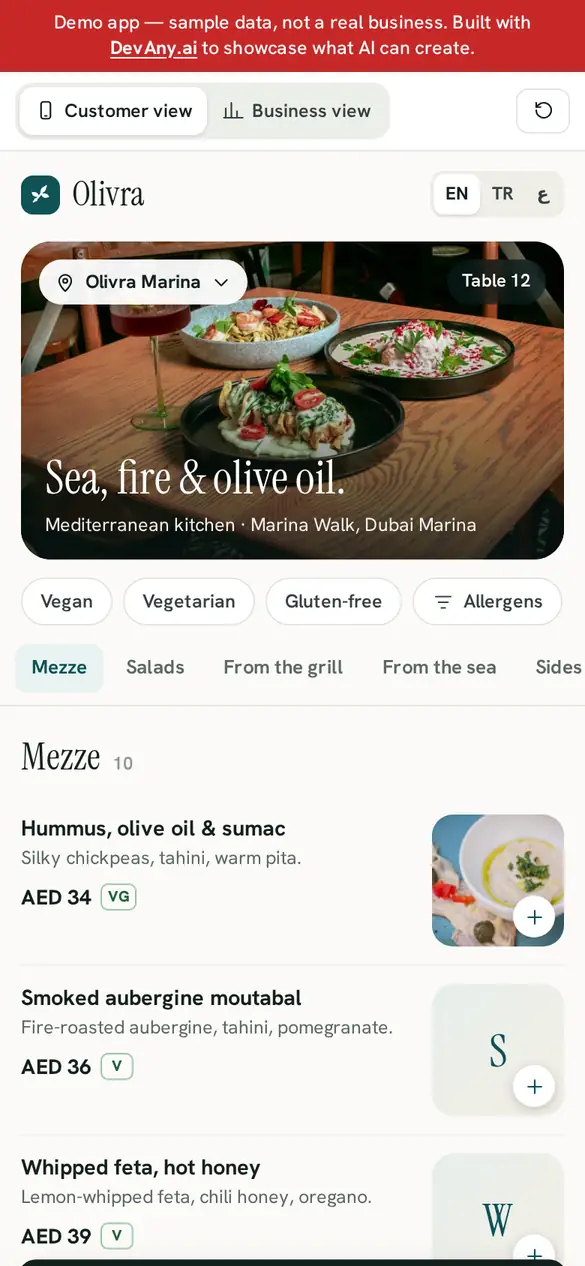
Customer view, on the guest's phone.
- 01Branch picker (DIFC, Marina, Al Wasl): prices follow the branch, and dishes it doesn't serve are hidden
- 02One tap for EN / TR / AR; in Arabic the whole menu mirrors right-to-left
- 03Vegan, vegetarian and gluten-free chips, plus an allergen sheet covering all 14 EU allergens
- 04Sold-out dishes are greyed with a badge; the matrix's Stars carry a Popular badge
- 05Table ordering: Send to kitchen, then a live Sent → Being prepared → Served card
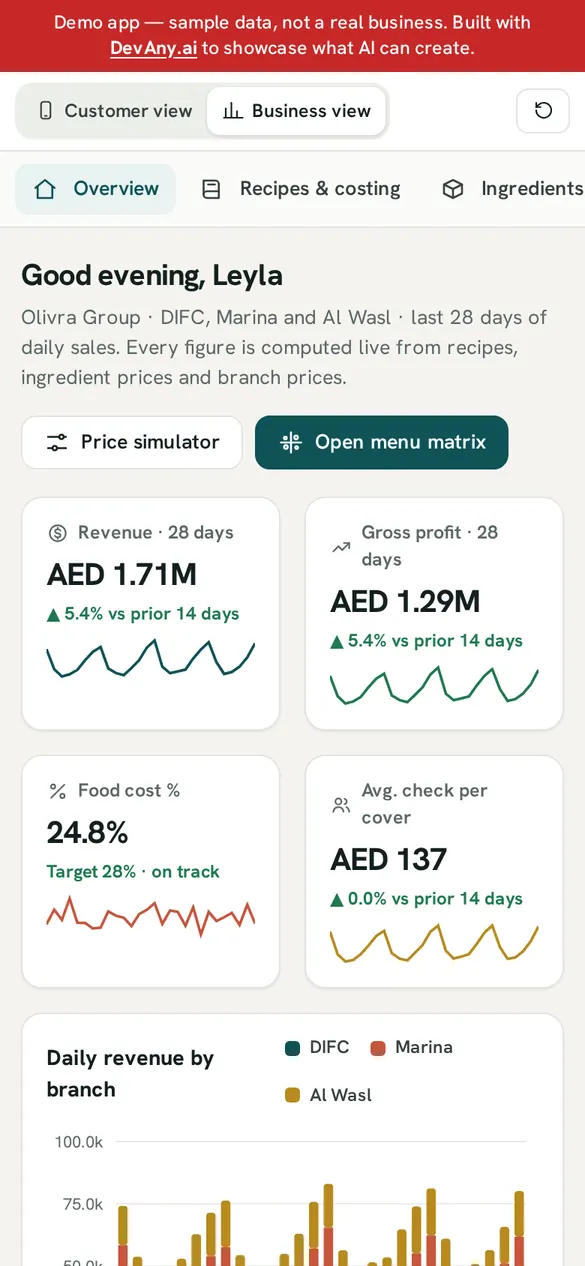
The dashboard the owner and staff run the day from.
- 01Overview: revenue, gross profit, food cost % and average check with 28-day sparklines, plus daily revenue by branch
- 02Recipes & costing for 36 dishes: usable cost = purchase price ÷ yield, with a food-cost gauge against the 28% target
- 03Menu matrix: scatter chart with branch, period and category filters; the sample data has 6 Stars, 13 Plowhorses, 7 Puzzles, 10 Dogs
- 04Price simulator: presets such as Milk +15% or Beef +10%, quadrant moves and Apply to menu
- 05Branches: a master menu with price overrides, on-menu and sold-out switches, plus printable A4 menus in EN/TR/AR
Three steps in the live demo to see how the two views connect.
- Step 1In Customer view, add a dish and tap Send to kitchen
- Step 2Switch to Business view: your order is in Live table orders, tagged You; Accept it
- Step 3Switch back to Customer view: your order card now shows Being prepared
- Deep teal#0F5257
- Terracotta#C8553D
- Linen#F5F4EF
- Ochre gold#B88A1E
- One app, two views
- Customer and business live in the same app: a record created on one side appears on the other at once.
- Blueprint
- This app was built from its own brief; the closest blueprint in the ideas library is linked below. The build button carries this app's brief into the builder.Margin Menu →
- Hosting
- Runs on its own subdomain inside a sandboxed frame; paid plans can connect a custom domain.demo-menupro.devany.app ↗ (opens in a new tab)
The builder opens prefilled with the full Menu Engineering brief. Add your business name, services and prices, and let DevAny build the rest.